
How do I resend or check a patient notification?
A staff link goes only to the mobile or email already on the record. There is no box to type a different one.
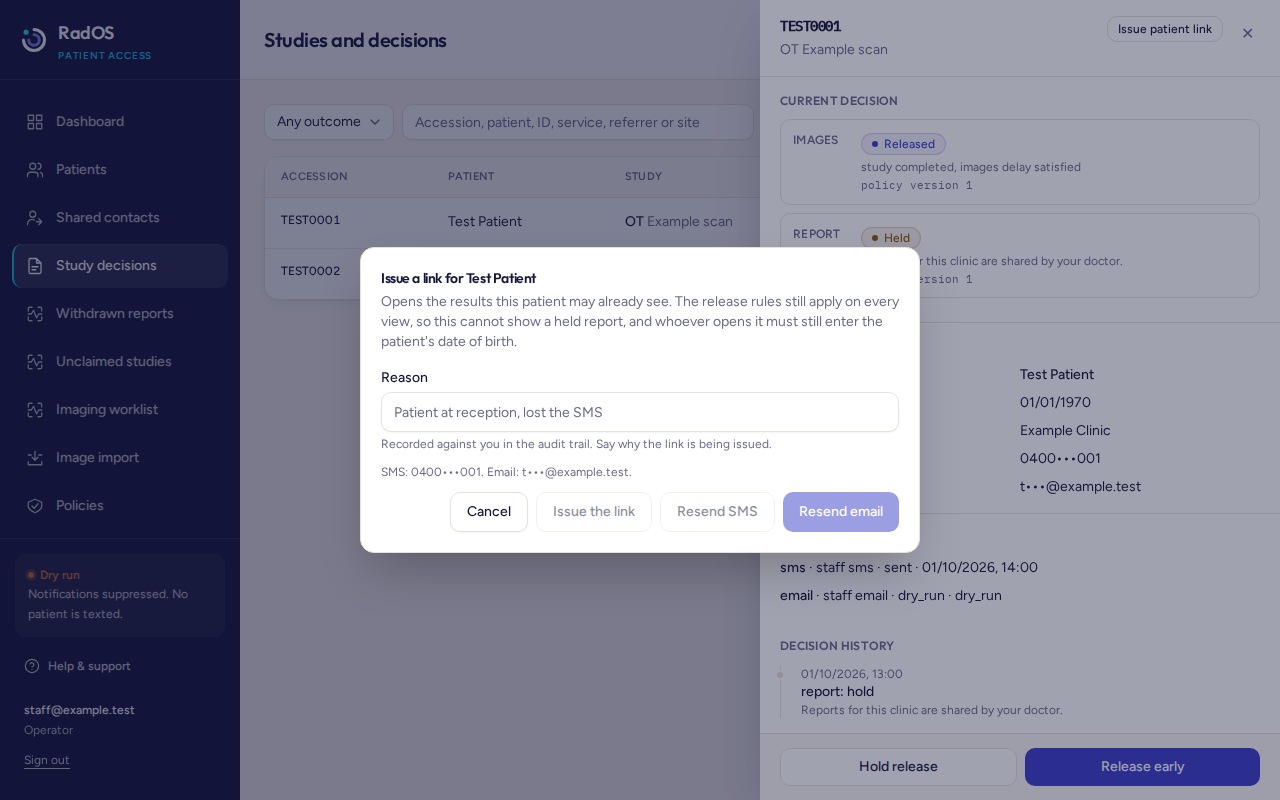
- Open the patient, then the study, then Patient link. Or open the study under Study decisions and choose Issue patient link.
- The study needs released images or a released report. If neither is released, the dialog explains why and will not send. A link does not release a held report.
- Write a reason of at least a few words (the button needs 3 characters). Say why, for example the patient is at reception and lost the text. Do not put clinical detail in the reason.
- Read the line under the reason. It shows the masked mobile or email, or why that channel is blocked: no number, not a valid Australian mobile, opted out, the clinical source has not enabled SMS, no email, or an invalid email.
- Choose Send SMS or Send email. The button says Resend when that channel was already sent or dry-run for this study.
- Read the result. Sent means it was submitted to the masked destination. Dry run means nothing was sent. Suppressed means the destination has opted out. Failed means you can still copy the link from this screen if it was issued.
What each send does
- Send SMS uses the mobile on the record and that study's clinic sender. It is a real text, including while the dry-run chip is on. It still needs a released result, a valid Australian mobile, source SMS consent, and no STOP.
- Send email follows the dry-run chip. In dry run the dialog says nothing was sent.
- Issue the link, without Send, shows the address once. It is not stored in a form you can open again. If it is lost, issue another. Copy it only to the patient whose identity you have checked.
- The staff link lasts 1 hour. The patient still enters their date of birth. Five wrong attempts lock that link.
- While expiry is on, a study can have at most five live staff links. A sixth is refused until one expires or is locked.
Two different messagesA sign-in code is six digits from the patient's own sign-in page. It lasts 10 minutes. A staff link is the address you issue here. An automatic results text is a third message, usually with a link that lasts 7 days. Resending from this dialog does not create that automatic text.
If the number has opted out, do not try another number. The patient can reply START on the number they were texted from, or an operator can lift the opt-out after the patient has asked to receive texts again. STOP on a handset applies across the platform.
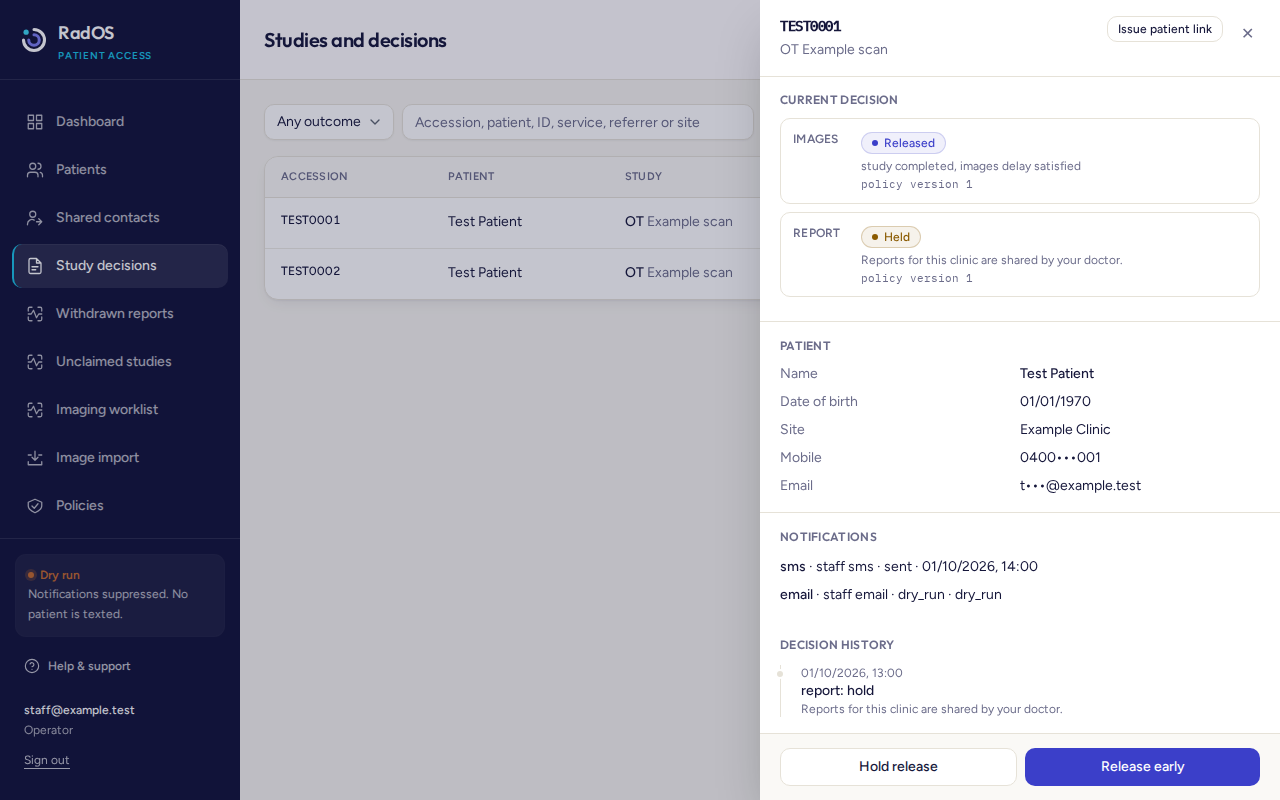
Check the study panel under Notifications for the channel, the status, and the time. Sent means the provider accepted it. It is not proof the handset displayed it. A suppressed email can show the status dry_run, which means nothing was sent.