
How do I place or remove a hold?
Operator or admin. A hold hides the images, the report, or both, even when the usual delay would show them.
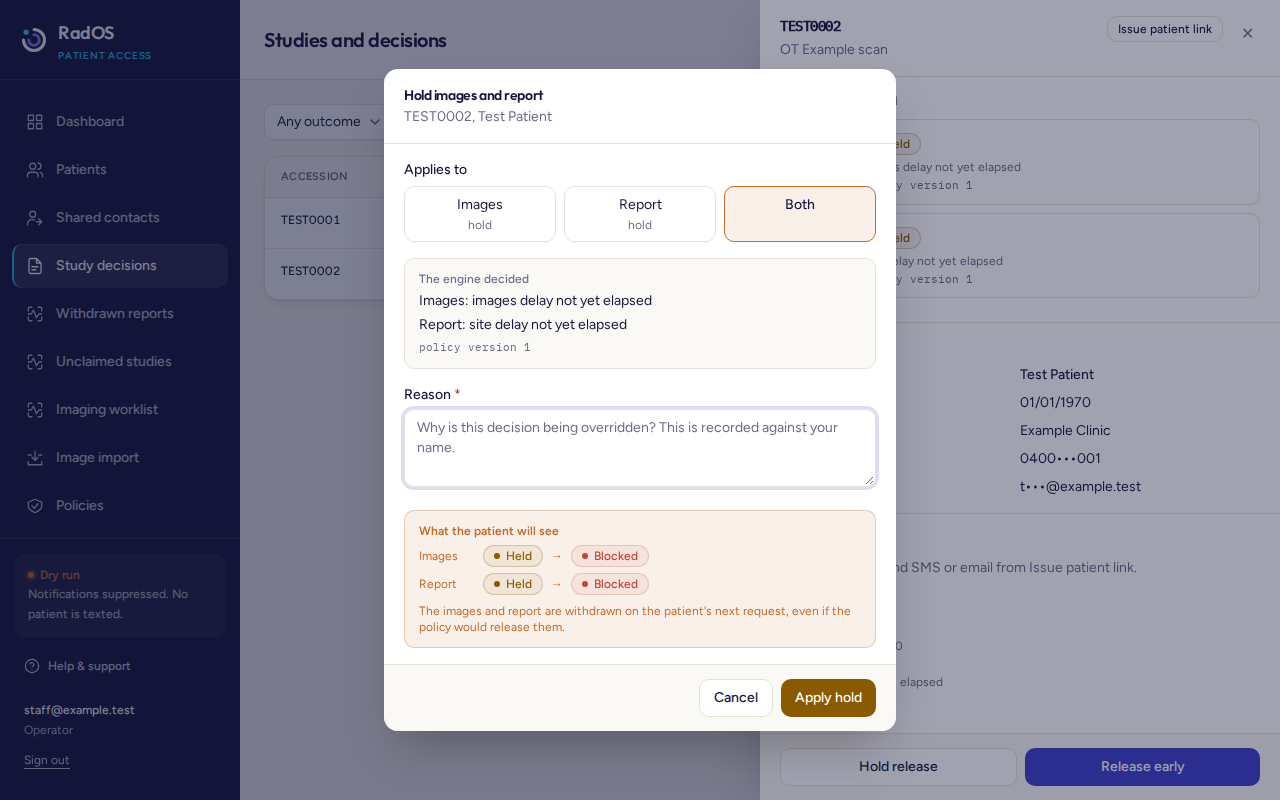
- Open the study and read the current decision.
- Choose Hold release.
- Choose Images, Report, or Both. The dialog starts on Both.
- Write a reason of at least 10 characters. It is stored under your name and cannot be edited later.
- Choose Apply hold. On the patient's next visit, that part is hidden. They are not shown your reason. They see the ordinary held or unavailable wording on the what patients see page.
Remove a hold
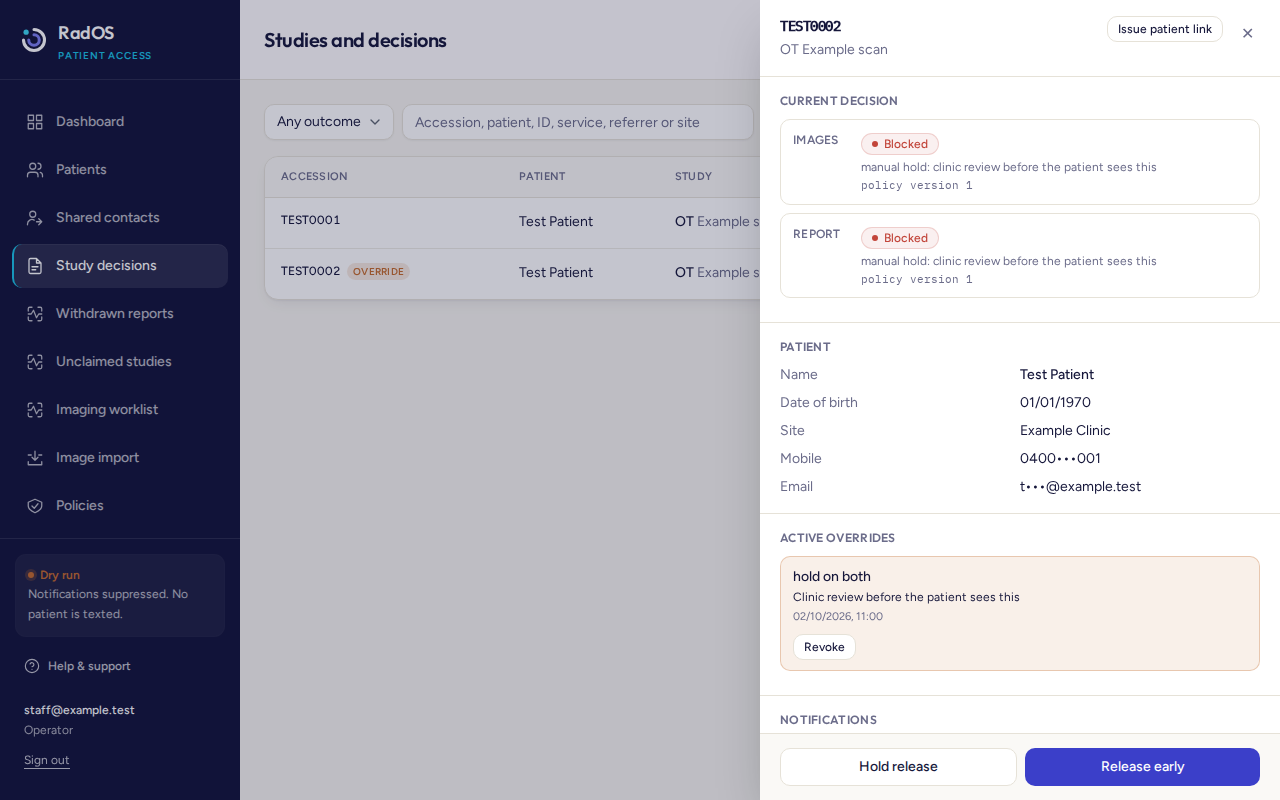
- Open the study and find Active overrides.
- Choose Revoke.
- Enter a reason when asked. It is recorded against your name. Cancelling the prompt does nothing. The reason needs at least 10 characters or the console will not save it.
- The study goes back to the normal rules. If the delay has not finished, or reports are switched off, it stays hidden for that reason. Revoke does not mean the patient can see it immediately.
A hold beats a releaseIf a hold is active, Release early will not override it. Revoke the hold first. Then release early only if the normal rules would still hide something you are allowed to show.